Viewing as this account
Read-onlyHelp and guide
How each tool works, the questions people ask first, and how to reach us.
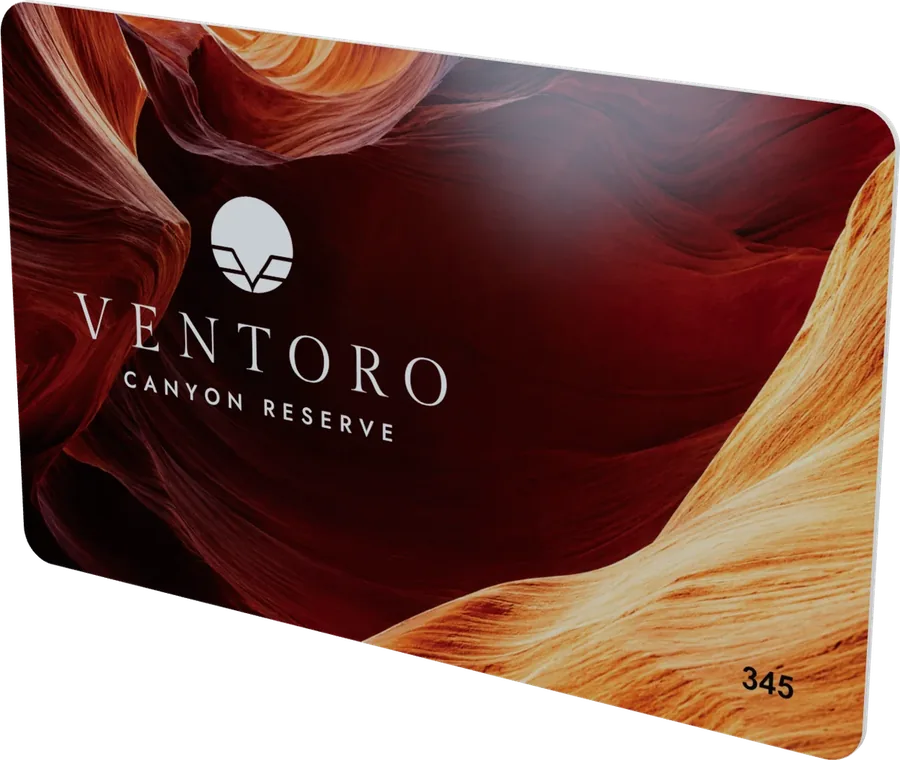
Show your client the real card, in 3D
Drop the proof PDF you would email a client. Proofscene builds the card in 3D, with its foil, gloss and wood, on a link your client can turn in their hands.
- Drop a proof PDF The proof your card supplier sends you, or a Proofscene proof sheet: PVC and wood cards, key tags, wristbands, sleeves and more.
- Check it in 3D Turn it, flip it and see the foil and raised gloss catch the light. Change the finish if the proof left it out.
- Send the link Publish it on your own proofscene.com address, with a password if you like. You see when your client opens it.
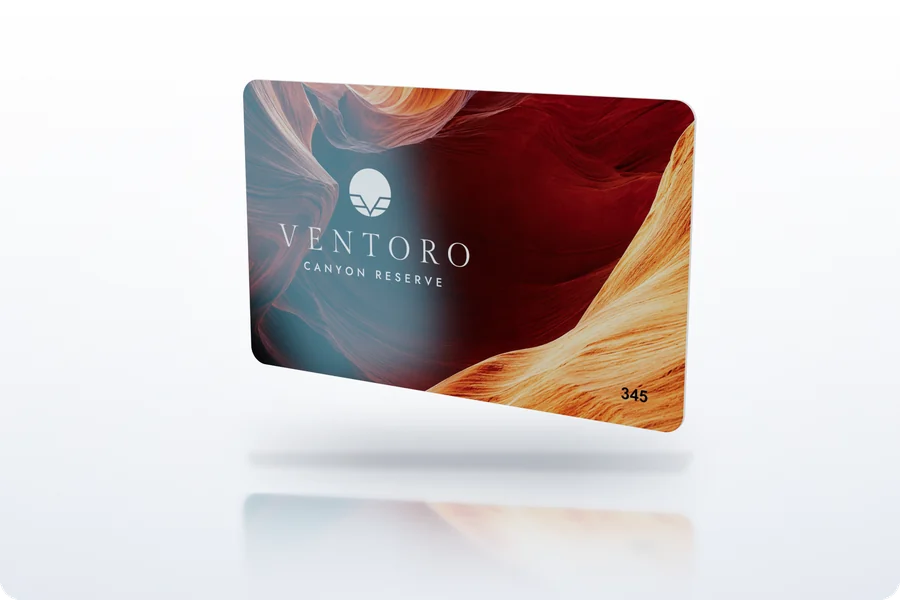
Studio photos and videos of every product
Pick a product you already have, a photo of one, or your logo on a mug, a box or a card. It stands in a real studio with its shadow and reflection, ready to download in seconds.
- Pick a product A 3D proof, a design, a 3D Hardware model, a photo of your product or your logo on a product. Our samples work too.
- Choose the look A studio in dark or light, pure white, your brand color or a real surface. Turn it to any angle, or pick a motion for a video.
- Download A photo in any size for shops, posts and quotes, every angle in one ZIP, or a short video with music.
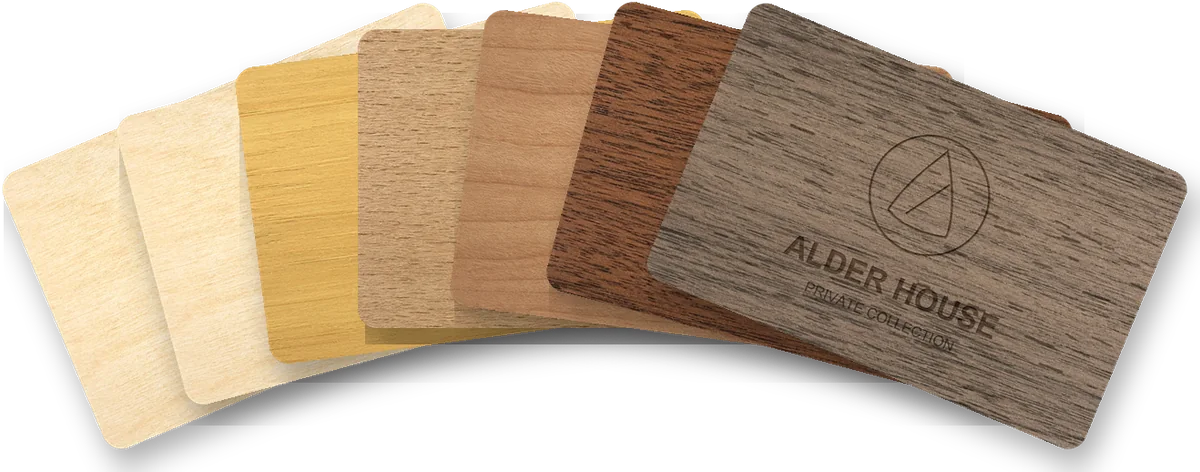
One design, shown on every wood
Help a hotel choose its wood. Drop one design and get a styled proposal with the card on every wood, ready to email, plus a link where the hotel compares the woods in 3D.
- Drop the design proof The vector proof PDF of the card. Several designs? Drop one PDF for each option.
- Name it and pick the woods Type the hotel name, keep the woods you sell and choose the one to feature on the cover.
- Send it to the hotel Download the PDF or copy the link. The hotel picks a favorite wood and you see which one.
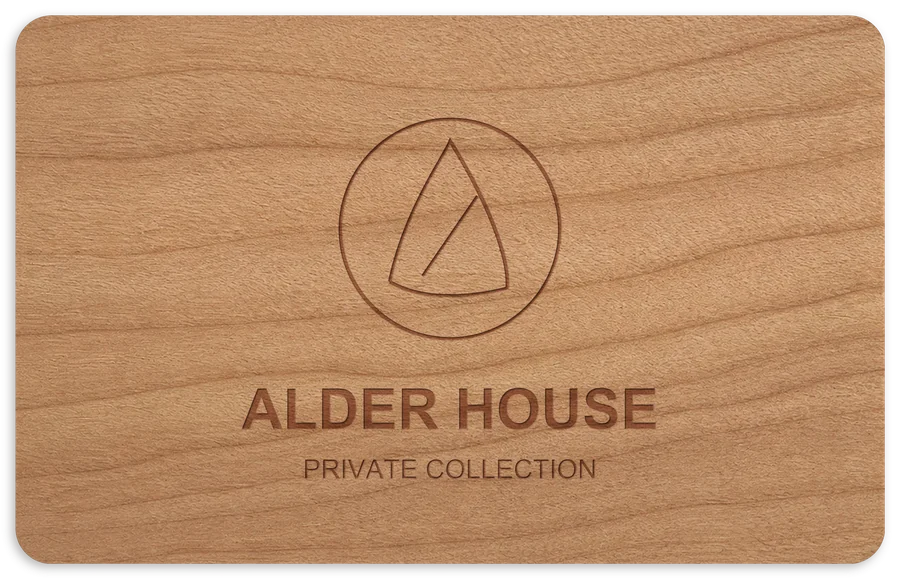
Turn a flat proof into real wood
For the order itself: drop the vector proof and get the proof your client signs, with a true‑to‑life picture of the card in the chosen wood, plus a 3D link.
- Drop the vector proof The wood named on the proof is used. Black prints as laser engraving, white stays bare wood, color is UV print.
- Wait about a minute The card is drawn on real wood at the exact size, front and back.
- Send the proof Download the client PDF and the pictures, or copy the 3D link and its password.
Questions people ask first
How a proof sheet worksWhat file do I upload?
The proof PDF you would email your client: the proofs your card supplier sends you and Proofscene proof sheets from the Proof Kit both work, for PVC and wood cards, key tags, wristbands, sleeves, lanyards and more. A photo or a scan of a printed card does not.
What is a vector proof?
The PDF from the designer before any wood picture is added: the card drawn in flat colors with its red cut line around it. The design proofs from your supplier are vector proofs. The wood tools need one, because they draw the real wood themselves.
Which wood tool do I use when?
Before the hotel has chosen: Wood design proposals, to show one design on every wood. Once the wood is chosen: the Wood proof generator, for the proof they sign. The 3D Studio works for every card, PVC and wood.
How does my client see it?
Every result has a link on your own address (yourcompany.proofscene.com). Copy it into an email or a message. Your client opens it in any browser, on a phone or a computer, with nothing to install.
Can I keep a link private?
Yes. Give any link a password before or after you share it. Only people with the password can open it, and you can take a link offline at any time.
Will I know when my client opens it?
Yes. Home and each proof show how many times a link was opened and when it was last opened. On a wood proposal you also see which wood the client picked as a favorite.
Is anything sent to my client by itself?
No. Nothing leaves Proofscene until you share a link or a file yourself. The samples you try stay in your workspace unless you share their link.
Can I change something after it is made?
Yes. In the 3D Studio you can change the finish or the wood and publish again on the same link. A proposal can be renamed, given other woods or another cover wood; it is made again in about a minute and the link keeps working.
Who on my team sees my work?
Everyone in your company workspace sees its proofs, proposals and links. Invite colleagues on the Team page; each person signs in with their own email.
A proof did not come out right. What now?
Try it again first: most hiccups clear on a second run. If it still looks wrong, email the PDF to support@proofscene.com with a line on what you expected, and we will look at it.
Ask us anything
Stuck, or want something Proofscene does not do yet? Email support@proofscene.com and a person answers. Attach the proof if it is about a file.