3D proofing for label printers
Your customer judges a label on the bottle, not on the proof sheet. Here is what changes once it wraps, and how to show the label on its container in interactive 3D, with the tags, belly bands and packaging that ship with it.
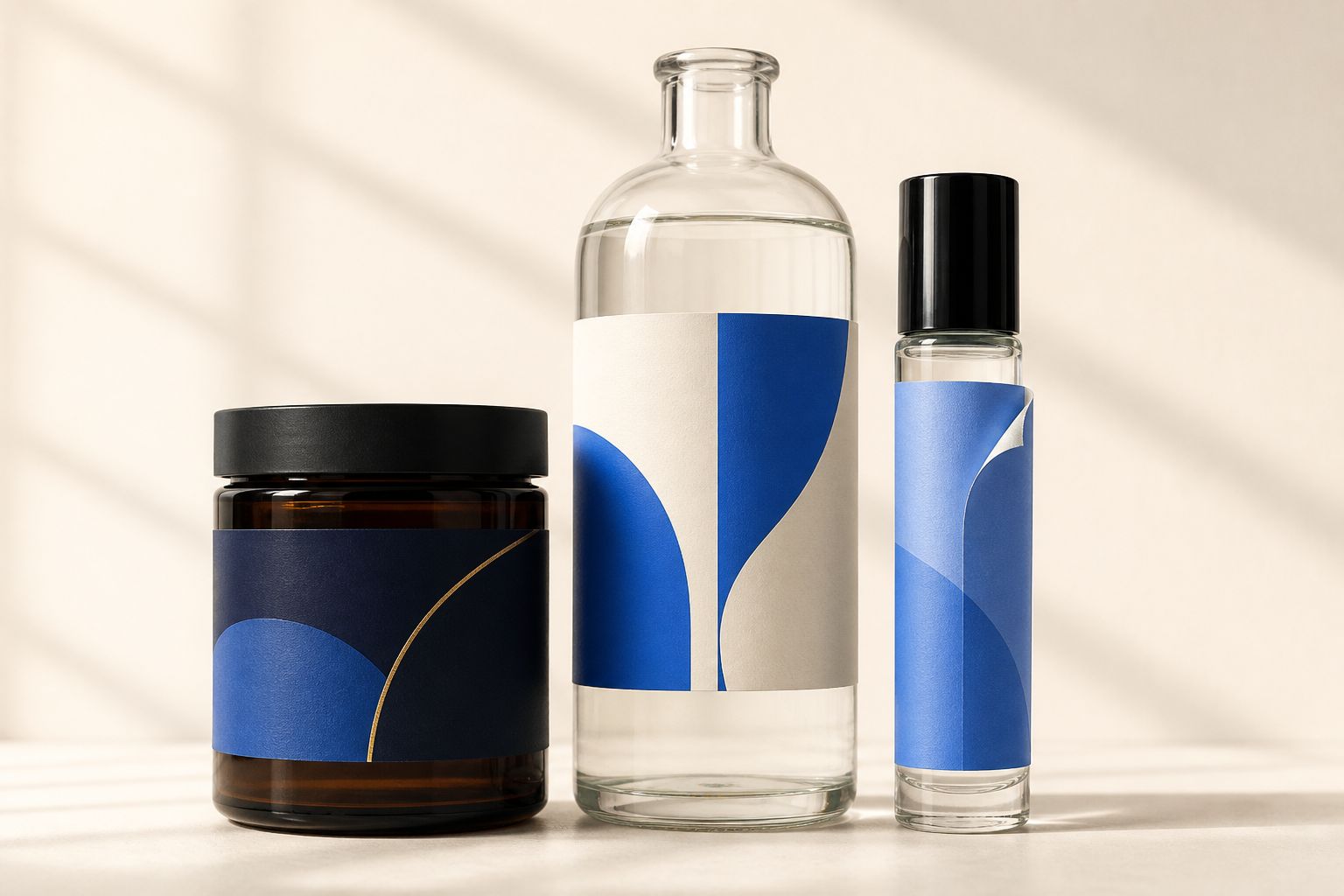
A label is never seen flat
Your customer approves a rectangle on a proof sheet, then reacts to a curved, cropped, laminated label on a bottle. Knowing where that gap opens is the first step to closing it.
On the container, not on a flat
A pressure-sensitive label wrapped around a bottle reads nothing like the same artwork sitting square on a proof sheet. The curve crops both edges, and the customer judges the label at an angle, the way the shelf shows it.
Shrink sleeves that behave like sleeves
Sleeve artwork distorts as it conforms to shoulders, necks and tapers. Distortion-corrected art and a shrunk sample on the real container show the brand owner where the logo lands before the plates are cut.
Substrate and varnish, visibly different
Clear-on-clear, metallized BOPP, textured estate paper, matte lamination, high-build gloss varnish and cold foil each carry light differently. Material choice should be something the customer sees, not a line item they skim.
Labels, tags and bands in 3D
Proofscene wraps the label around its bottle, jar or can, and builds hang tags with holes, die-cut tags in PVC, PET or wood, and belly bands that fold from their dieline, all from the proof sheet you already make, with foil catching the light as the customer turns them.
From die line to applied label
Narrow-web label work moves fast. Artwork arrives, prepress traps and steps it, a die line goes on the proof sheet, the customer signs, and the job is on press. The weak point in that chain is almost always the moment of sign-off: the brand owner is looking at a flat die-cut shape and being asked to predict a wrapped, laminated, foiled label on a three-dimensional container.
That is where the expensive surprises come from. A logo that reads centered on the sheet sits off the shoulder once the sleeve shrinks. A variety flavor band that looked bold flat disappears around the curve. A clear-on-clear design that the customer imagined as invisible turns out to show the liner edge. None of these are press faults, and all of them arrive as a remake.
Label converters often supply more than the label: hang tags, belly bands, sample pouches, and the folders and envelopes a product launch ships in. Proofscene builds the label on its container and all of those in interactive 3D from the proof sheet you already make, reading the artwork, die line and spec: tags in PVC, PET or wood with foil and raised UV catching the light, bands and pouches folding from their dieline. Your customer opens them on a branded link, and every proof stays in your library with its job reference. Create a free account and upload one of your proofs to see it in 3D.
Related reading: finish & material visualization, the 3D proof viewer, packaging proofing, and the guide on whether a digital proof can represent print color.
Label proofing, answered
Short, straight answers to the questions we are asked most. If yours is not here, ask.
Ask us anythingWhat is 3D label proofing?
3D label proofing shows printed work as an interactive model the customer can rotate, so they judge it the way it will leave the press instead of approving flat artwork. With Proofscene that means the label on its container and the printed pieces that go out with it: hang tags, die-cut tags, belly bands and paper packaging that folds from its dieline.
What can label printers proof in 3D with Proofscene?
The label itself, wrapped on its container, and the pieces that go out with it: hang tags with holes, die-cut tags in PVC, PET or wood, belly bands, pouches, envelopes, folders and other paper packaging that folds from its dieline, plus card carriers and sleeves. Create a free account and upload one of your proofs to see it in 3D on a branded link.
Which label substrates and finishes change the approval?
Clear film, metallized stock, textured papers, matte and gloss lamination, high-build varnish, spot UV and foil all change how a label carries light, so each deserves a look at proof stage. A press sample on the specified stock then settles tactile and color-critical finishes.
How does a 3D proof fit with our color approval?
Alongside it: a 3D proof shows artwork placement, die shape, substrate and finishing for visual sign-off, and your color approval step carries on unchanged.
Do we still send the flat proof sheet with the die line?
Yes. The flat sheet carries the technical detail your prepress team needs. For the label and everything you supply alongside it, that same proof-sheet PDF is what Proofscene starts from: it reads the artwork, die line and spec and builds the 3D proof.
Can Proofscene links go out under our own brand?
Yes. Every proof link carries your company name at yourcompany.proofscene.com, with a custom or random code, an optional password and a preview card when it is pasted into email or chat. Fully self-hosted and white-label deployments are set up with the Proofscene team.
Show your next label in 3D
Create a free account, upload a proof sheet and send your customer an interactive 3D proof on your own branded link today.
Free account · No credit card · Built by print people