Free tools for product photos, logos & print proofing
Photograph any product in a studio and turn it into a short film, find any company's logo and make it 3D, then the tools for the moments around a press run: preview a card in 3D, build a CR80 template, set bleed and safe area, estimate cost and time, and run a proper pre-production check.
Logo tools
Type a website, get the logo. Or drop the logo you have and get every version of it.
Logo Finder
Type any website and get that company's logo: its own SVG when it has one, every version you need (transparent, vector, white, black, any color, a square icon), and every file a printer, a designer or a developer asks for. Small and mid-size companies too, found on their own websites.
- SVG, PNG, PDF, EPS, DXF, ICO
- Brand colors in HEX, RGB, CMYK
- White and black versions
Logo to SVG converter
Drop a PNG or JPG logo and get a clean vector SVG, PDF or EPS, every color traced as its own layer. Sharp at any size, made in your browser.
Open the toolPNG to SVG converter
Turn any PNG or JPG, from icons to line art, into a full-color SVG with smooth curves, plus PDF, EPS and a DXF cut file.
Open the toolRemove logo background
Take the white box off a logo and download a transparent PNG up to 4096 px, with smooth edges and the letter holes cleared too.
Open the toolWhite logo maker
Turn any logo white for dark backgrounds, black for light ones, or any color you pick, with the details inside it kept open.
Open the toolPNG to ICO converter
One .ico with every size from 16 to 256 px, plus a full favicon pack with app icons, a web manifest and the HTML tags.
Open the toolFavicon grabber
Paste a website and download its favicon and app icons, or make a full favicon pack (.ico, PNGs 16 to 512 px, a web manifest) from any logo.
Open the toolLogo wall maker
Paste a list of websites and get a "trusted by" grid with every logo sized to match, in color, gray, black or white. PNG, SVG or each logo in a ZIP.
Open the toolProduct photo studio
Studio photos, short films and 360 spins of any product, made in your browser with the same lighting engine that shows factory proofs.
Product photo generator
Drop a photo of any product, or put your logo on a mug, a box or a card, and it stands in a studio: white, a dark or light stage, your brand color or a real surface, with a soft shadow and a floor reflection. Square, portrait, story, wide and classic, as PNG, JPG or WebP. Previews are free with no account.
- Photos on white, color or marble
- Short product videos, 6 to 15 seconds
- Seamless 360 spins and GIFs
Product video maker
A product turning in 3D with music, 6 to 15 seconds long, as a Full HD MP4 in 9:16, 4:5, 1:1 or 16:9.
Open the toolWhite background product photo
Pure white, a soft shadow and a clean cut-out, square and ready for Amazon, Shopify, Etsy and eBay listings.
Open the tool360 product spin maker
A seamless turn of your product as a GIF, an MP4 loop or a set of frames for a 360 viewer, made right in your browser.
Open the toolLogo mockup generator
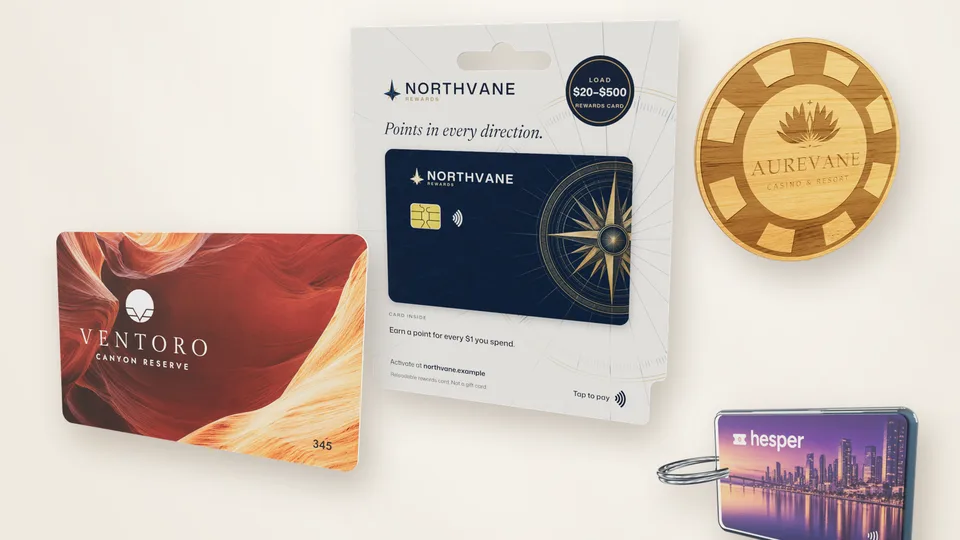
Your logo on a mug, tumbler, can, bottle, box or key card in true 3D: pick the color and finish, turn it and download.
Open the tool3D Logo Studio
Any logo becomes a smooth 3D logo you can animate with music, download as video and images, or print on a 3D printer.
3D logo maker
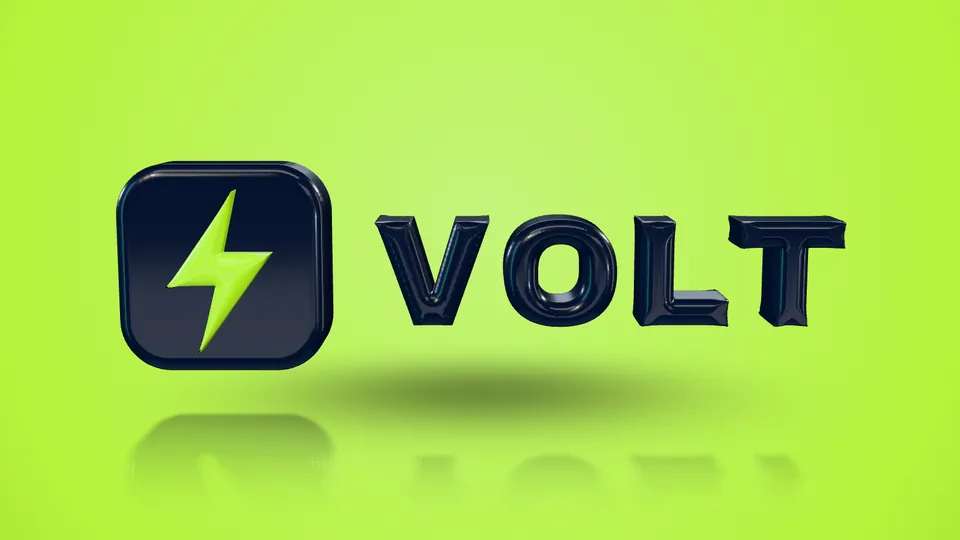
Drop any logo, type a name, or find the logo on a website, and it turns into a smooth 3D logo in seconds: gold, chrome, glass or gloss, on a dark, light or brand-color stage, with eight animations scored with music. Previews are free and need no account.
- MP4 for Reels, TikTok and YouTube
- PNG, GIF and 3D files
- STL and multi-color 3MF
Logo animation maker
Spin reveal, slam, assemble, coin flip and more, each with its own music, as a Full HD MP4 in 9:16, 4:5, 1:1 or 16:9, or a GIF.
Open the toolLogo intro maker
A 3D logo reveal with sound to open your YouTube videos, streams and podcasts, made in 16:9 or 9:16 and ready to drop into your edit.
Open the toolSpinning logo GIF maker
Your logo turning in true 3D as a seamless loop: a GIF for email signatures and chats, an MP4 for websites, or a transparent PNG.
Open the toolLogo to STL and 3MF
Any logo, or the logo on any website, as a print-ready STL or a multi-color 3MF with one part per color, 50 to 200 mm wide.
Open the toolSVG to STL converter
Turn an SVG into a 3D print file exactly as the artwork looks, holes and colors included, sized in millimeters for your slicer.
Open the toolPNG to STL converter
Turn a PNG or JPG into a 3D print file: the background drops out, the shapes are traced smooth and every color becomes its own part.
Open the toolPrint proofing tools
No account, no download, no trial clock. Open a tool, use it, close the tab.
Bleed & safe area calculator
Build a to-scale bleed, trim and safe-area template and export a layered, print-ready PDF, SVG or PNG, or drop your own artwork and let it add the bleed for you. Millimeters or inches, real crop marks, named layers that open in Illustrator, and nothing is uploaded.
- Live to-scale preview
- Layered print-ready PDF
- Drops in your artwork + adds bleed
3D credit card mockup generator
Put any image or PDF on a true-size card in 3D. Slide the lamination from mirror gloss to frosted, click a color to turn it into gold foil or spot UV, add an ISO chip and stripe, and download PNGs, a 360° video or a layered template.
Open the toolCR80 card template & artwork checker
The exact CR80 size in millimeters, inches and pixels for any card printer, with bleed, safe area and the chip and stripe at their ISO places. Check your artwork for print and download PSD, SVG, PDF or PNG templates.
Open the toolReprint cost calculator
Put a number on what reruns actually cost you. Enter your reprints per month, your cost per reprint and the hours they eat, and see the monthly and annual figure.
Open the toolProof approval time estimator
See how much calendar time your review rounds cost, and what removing a single round would save. Rounds, not days, are the number you can control.
Open the toolProof approval checklist
Twelve things worth confirming before a job goes to press. Tick them off as you check them and watch the progress count: nothing to install, nothing to sign up for.
Open the toolArtwork approval form template
Fill in the job, proof version, size, stock, finishes, quantity and a 3D proof link, then print it or save it as a PDF for the customer to sign. Blank fillable PDF and Word copies in A4 and US Letter.
Open the toolKey fob template
Eighteen true-size key fob templates from production die lines (bulb, rectangle, crystal, teardrop, silicone, wood and snap-off tags), each as PDF and SVG, with an artwork checker for bleed, safe area, the hole and resolution.
Open the toolUseful first, marketing second
No sign-up, no email wall
The print tools and the logo converters run in your browser: artwork, numbers and checklist entries stay on your device. The Logo Finder sends only the website address you type.
Built from real prepress practice
The items and inputs come from the proof-approval step of a working print and card-manufacturing operation, not from a template.
Your numbers, your answers
The calculators and checkers work from the figures and files you enter, so every result reflects your own shop.
The thinking behind the tools
Most reprints are not press failures. They are expectation failures: a customer approved something that did not match the picture in their head, and nobody found out until the boxes arrived. That is why the calculator asks for hours lost as well as material cost, and why the checklist spends as much time on sign-off and specification as it does on artwork.
If you want the longer version, the guides cover the same ground in depth.
Related guides
About these tools
Short, straight answers to the questions we are asked most. If yours is not here, ask.
Ask us anythingAre these tools free?
Yes. Every tool here is free. The Logo Finder works without an account and unlocks more searches after free sign-up; the 3D Logo Studio plays every preview free and downloads three videos, five images and three 3D files a month with a free account; the product photo studio previews free too, and a free account downloads five product photos and three videos a month; the print tools and logo converters need no account at all.
Is my data or artwork sent to Proofscene?
Your artwork never is. The print tools and the logo converters open your files inside your browser, and the checklist can remember progress in your own browser storage. The Logo Finder sends the website address you type to our server, which reads that site's public pages to find its logo.
Can I use these with my team or my customers?
Yes. Send the link to anyone. The checklist is designed to be worked through with a customer or a prepress colleague on a call, and the calculator is useful in a management meeting about rerun costs.
How do these relate to Proofscene the product?
They cover the same moment in the job: the last check before you commit to a press run. Proofscene is 3D print proofing software that makes that moment clearer by showing the customer an interactive 3D model of the finished product instead of a flat PDF. The tools are useful whether or not you ever use Proofscene.
Will there be more tools?
Yes. We keep adding tools for the checks print shops actually run. If there is a calculation or checklist your shop uses on paper today, tell us and it may become the next one.
Tools are the warm-up. The proof is the product.
Create a free account, upload a proof sheet and send your customer an interactive 3D proof on your own branded link today.
Free account · No credit card · Built by print people