Key fob templates in every shape
A free PVC key fob template, 50.0 x 30.0 mm with 2.0 mm corners and a 4.5 mm key ring hole, drawn front and back at 1:1 in a layered PDF. Run your artwork 1.5 mm past the red cut line, keep text clear of the hole, and drop your file below to check it before you send it. Bulb, crystal, silicone, wood and snap-off fobs have true-size templates of their own further down.
Drop an image here to see it on the fob
Cut line and holeBleed 1.5 mmSafe area 3 mmKeep text out
Shown to scale on screen. Print the PDF at 100% to see the fob at true size.
Download the template
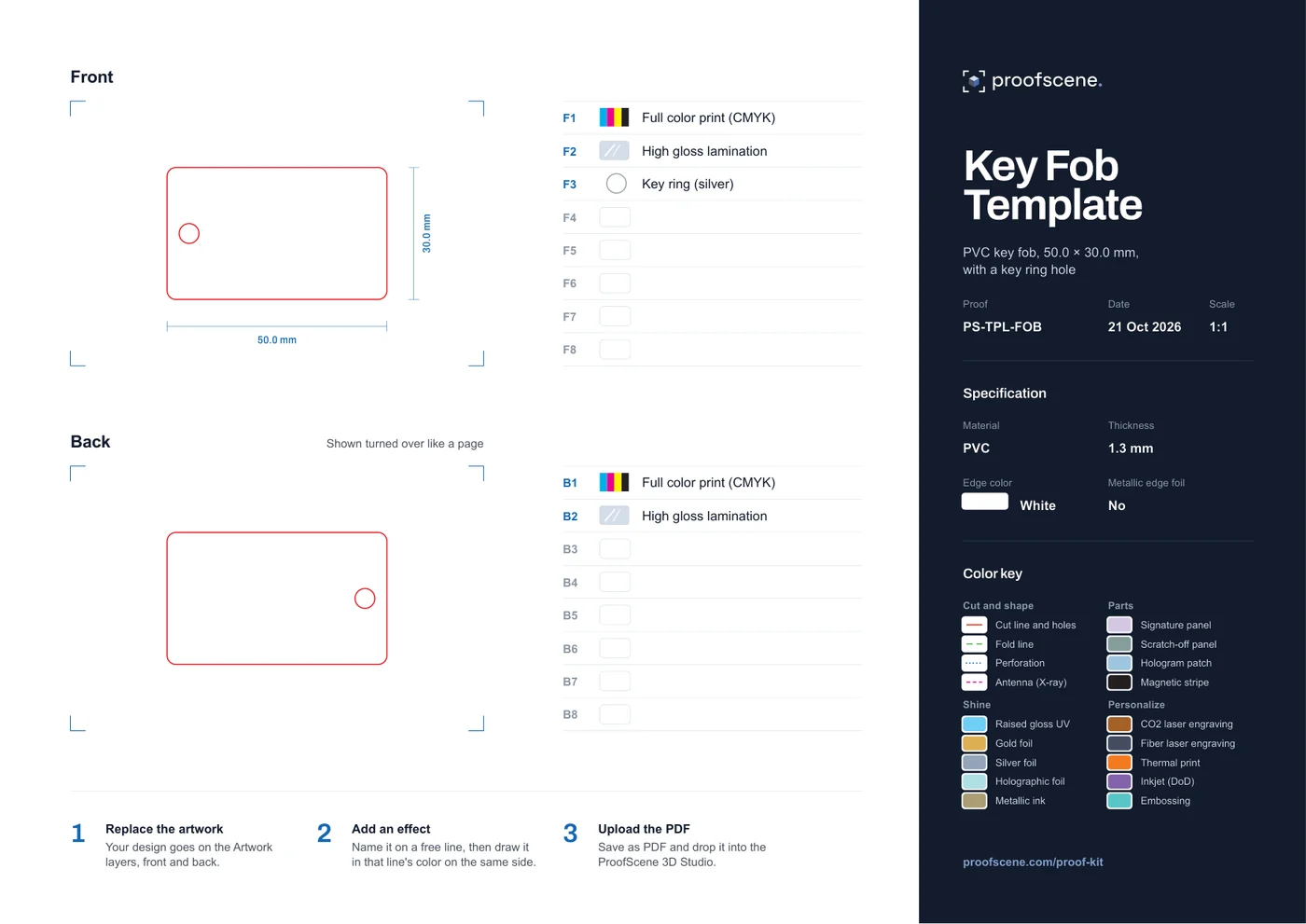 Download the PDF (505 KB)
Free, no sign-up. A4 landscape, front and back at 1:1, nine named layers that open in Illustrator. Part of the free Proof Kit.
Check your artwork
Drop a PNG, JPG, WebP or SVG of your design, front or back, and see it on the fob with the hole cut out. It tells you whether the size includes bleed and how sharp it will print. Your file stays in this browser.
What size is this key fob template?
The template is a 50.0 x 30.0 mm PVC key fob, 1.3 mm thick, with 2.0 mm rounded corners and a 4.5 mm key ring hole centered 5.0 mm from one short edge. Artwork runs 1.5 mm past the cut on every side, so the design itself measures 53.0 x 33.0 mm. The sizes below were measured from the PDF itself; the safe area and hole keep-out are our suggestions.
| Measurement | Value | Note |
|---|---|---|
| Finished (cut) size | 50.0 x 30.0 mm | The red cut line, drawn at 1:1 in millimeters |
| Corners | 2.0 mm radius | Rounded, so keep text out of the corners as well |
| Material and thickness | PVC, 1.3 mm, white edge | The sheet's specification; edit the words in its Settings layer |
| Key ring hole | 4.5 mm across | A closed red line inside the cut, so it is cut out |
| Hole position | Center 5.0 mm from the short edge, 15.0 mm from top and bottom | On the back it sits at the other end, because the back is shown turned over like a page |
| Bleed | 1.5 mm past the red line on every side | So the artwork measures 53.0 x 33.0 mm |
| Safe area (our suggestion) | 3 mm inside the cut: 44.0 x 24.0 mm | Not drawn on the sheet; the same margin our card tools use |
| Hole keep-out (our suggestion) | The first 10 mm at the hole end | The hole runs from 2.75 to 7.25 mm in from the edge, and the key ring covers the area around it |
| Artwork at 300 dpi | 626 x 390 pixels or more | For 53.0 x 33.0 mm; vector artwork is sharp at any size |
| The file | PDF, 1 page, A4 landscape, 505 KB | Front and back at 1:1, nine named layers and a color key to copy swatches from |
Key fob templates in every shape
Each maker cuts its own fob shapes, so here are 17 more, each drawn 1:1 from a production die line: red for the cut and the key ring hole, blue for bleed where the die has it, green for a 3 mm safe area. Download the SVG or PDF, put your artwork on it, and Proofscene builds the fob in 3D from your proof.
| Key fob | Size | Key ring hole | Thickness | Template |
|---|---|---|---|---|
| PVC bulb key fob | 32 x 48 mm | 5.9 mm | 1.3 mm PVC | SVG PDF |
| Crystal bulb key fob | 32 x 48 mm | 5.9 mm | 3.7 mm, PVC under a clear epoxy dome | SVG PDF |
| PVC rectangle key fob | 50 x 30 mm | 2.85 mm, in the corner | 1 mm PVC | SVG PDF |
| Crystal rectangle key fob | 50 x 30 mm | 2.5 mm | 3.7 mm crystal epoxy | SVG PDF |
| PVC rectangle key fob | 54 x 29 mm | 4.0 mm | 1.3 mm PVC | SVG PDF |
| Crystal-rim key fob | 54 x 34 mm, a 50 x 30 tag in a clear rim | 2.5 mm | 4.1 mm | SVG PDF |
| Crystal-rim key fob | 58 x 33 mm, a 54 x 29 tag in a clear rim | 2.5 mm | 4.1 mm | SVG PDF |
| Long crystal key fob | 65 x 25 mm | 3.0 mm | 3.7 mm crystal epoxy | SVG PDF |
| ABS teardrop key fob | 32.6 x 52 mm | 7.2 mm | 5 mm moulded ABS | SVG PDF |
| Silicone key fob with tab | 30 x 34.3 mm | 2.5 mm, through the tab | 3 mm silicone | SVG PDF |
| Silicone double-round key fob | 25 x 42 mm | Ring channel across the tab | 5 mm silicone | SVG PDF |
| Wood SIM-shape key fob | 21.2 x 35 mm | 3.0 mm | 3 mm cherry wood | SVG PDF |
| Square PVC key tag | 50 x 50 mm | 5.0 mm, in the corner | 1 mm PVC | SVG PDF |
| Three snap-off key tags | 85.4 x 54 mm card of three tags | 5.0 mm each | 0.76 mm PVC | SVG PDF |
| Card with one snap-off key tag | 114.3 x 54 mm | 5.0 mm | 0.76 mm PVC | SVG PDF |
| Card with two snap-off key tags | 145.5 x 54 mm | 4.0 mm each | 0.76 mm PVC | SVG PDF |
| Card with three snap-off key tags | 85.5 x 108 mm | 3.5 mm each | 0.76 mm PVC | SVG PDF |
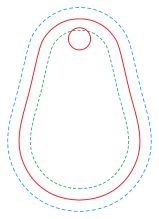
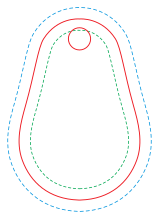
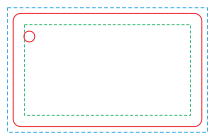
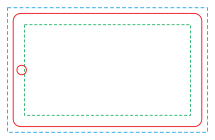
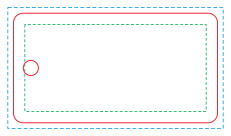
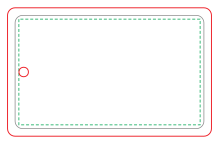
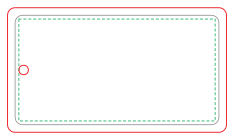
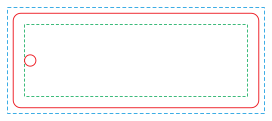
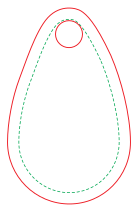
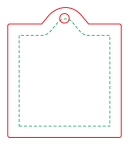
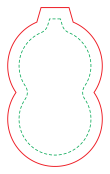
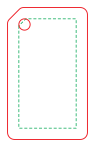
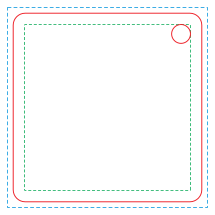
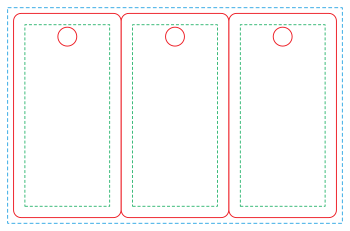
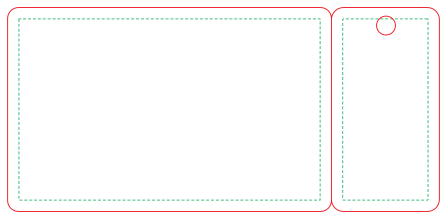
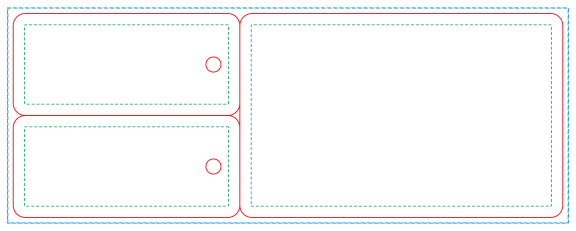
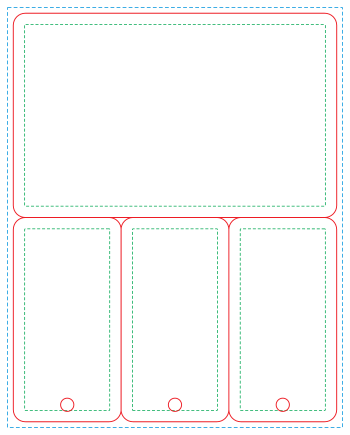
Linked names open the fob in 3D on the demo page. For any other shape, put the die line from your fob maker on the bleed and safe area calculator to draw its bleed and safe area.
How to set up key fob artwork
In Illustrator
- Open the PDF with File, then Open (not Place), so its nine layers stay editable.
- On the Artwork: front layer, place your design and size it to 53.0 x 33.0 mm, centered on the red cut line, so 1.5 mm runs past every edge.
- Do the same on Artwork: back. The back is drawn turned over like a page, so its hole is on the right; anything that must line up with the front, such as a border, swaps sides.
- Leave the red cut line and the hole as they are. To add a finish such as gold foil or raised gloss UV, write it on a free line (F4 to F8, B3 to B8) with its swatch and draw the area in that line's color.
- Save as Adobe PDF with Preserve Illustrator Editing Capabilities ticked, ready to send or to drop into the 3D Studio.
In Canva or another app
- Make the artwork in Canva: create a custom design of 53.0 x 33.0 mm, which already includes the bleed.
- Run backgrounds to the canvas edge. Keep text and logos 4.5 mm in from every edge (1.5 mm bleed plus the 3 mm safe area) and 11.5 mm clear at the hole end.
- Download as PDF Print without "Crop marks and bleed" ticked, since the bleed is already in the canvas.
- Place that file on the sheet's Artwork layer in Illustrator, or any app that keeps spot colors when it saves a PDF. No Illustrator? The Designer in a free Proofscene account puts a logo on a fob in 3D without the sheet.
More on the numbers: what bleed is and why it matters, and the same steps for cards with the CR80 card template and artwork checker.
What to check before you send the file
The checker above measures size and resolution. These six checks catch the rest.
| Check | On this template | Why |
|---|---|---|
| Bleed | Artwork reaches 1.5 mm past the red line on all four sides (53.0 x 33.0 mm) | A background that stops at the cut leaves a white sliver when the blade drifts. |
| Safe area | Text and logos at least 3 mm inside the cut, clear of the 2.0 mm corners | Small pieces leave little room for cutting tolerance. |
| Hole keep-out | Nothing important in the first 10 mm at the hole end | The 4.5 mm hole is cut out of the artwork and the key ring sits over the area around it. |
| Back orientation | The back drawn as if the fob were turned over like a page, its hole on the right | A back that is upside down or at the wrong end is a reprint. |
| Resolution | 626 x 390 px or more, or vector | Under 200 dpi at this size, print looks soft. |
| Edge | The sheet says a white edge; change it in Settings if your fob has a colored core | At 1.3 mm the edge shows, most of all on dark designs. |
When the artwork is right, get the customer's sign-off in writing against that exact proof: the free artwork approval form template has a field for the 3D proof link.
See your key fob in 3D before it is made
Drop the finished sheet into the 3D Studio and Proofscene builds the fob from it in about a minute: turn it over, see the key ring through the hole and the gloss lamination under realistic lighting, then share it with your customer on a branded link. Crystal and silicone fobs work the same way.
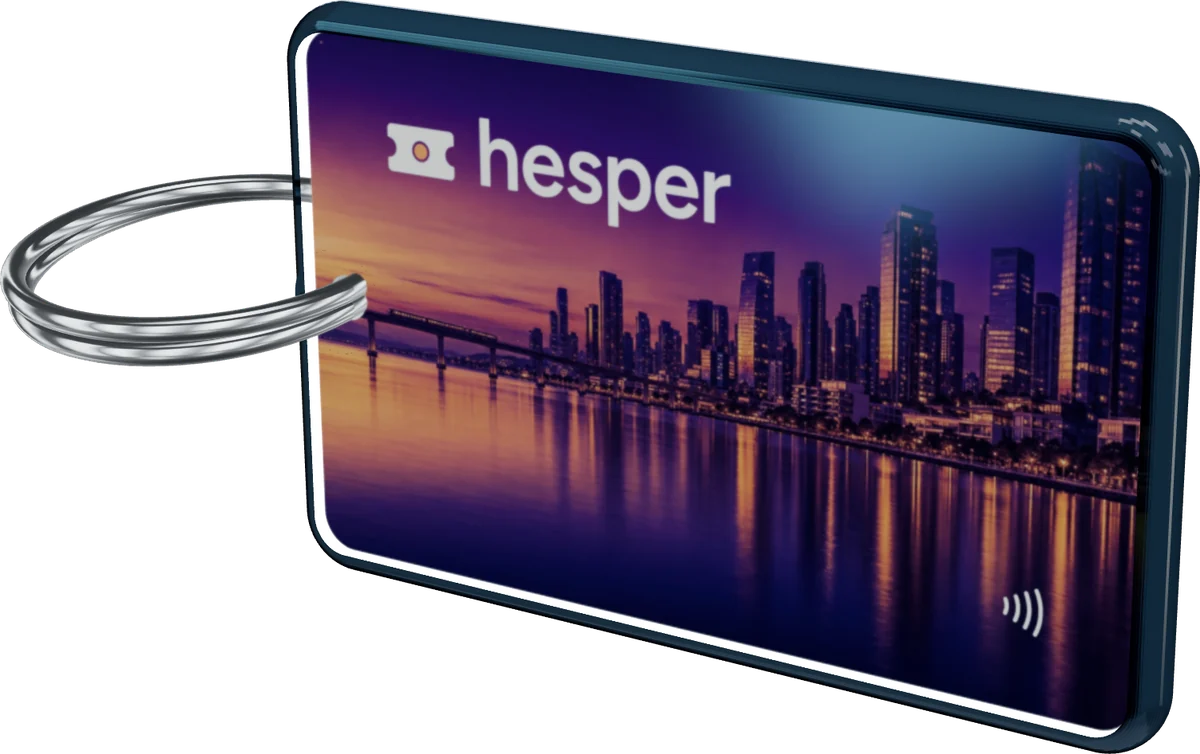
Try it on fobs already in the showroom: the Hesper crystal pay fob (the same 50 x 30 mm footprint, under a crystal dome), the Avium cherry wood SIM fob and the Larkmoor silicone festival fob. All three are demo brands, each built from a flat proof sheet.
A free account starts with 5 free 3D proofs, and more every month.
Key fob templates, answered
Short, straight answers to the questions we are asked most. If yours is not here, ask.
Ask us anythingWhat size is a key fob?
There is no single standard key fob size the way CR80 is the standard for cards: each maker cuts its own shapes. This template is a 50.0 x 30.0 mm PVC fob, 1.3 mm thick, with 2.0 mm corners and a 4.5 mm key ring hole. The page also has 17 more true-size fob templates, from 32 x 48 mm bulb fobs and crystal fobs to silicone fobs and snap-off key tags, each as SVG and PDF.
How much bleed does a key fob need?
On this sheet, 1.5 mm past the red cut line on every side, which makes the artwork 53.0 x 33.0 mm. If the factory making your fobs asks for more in its own file spec, follow theirs for the production file.
Where should the key ring hole go?
On this template the 4.5 mm hole is centered 5.0 mm from one short edge and halfway between the long edges. The back shows it at the other end, because the back is drawn turned over like a page. Keep text and logos about 10 mm clear of that end.
What resolution should key fob artwork be?
300 dpi at final size: at least 626 x 390 pixels for the 53.0 x 33.0 mm artwork with bleed. Logos and text are best as vectors (PDF, SVG or AI), which stay sharp at any size. The checker on this page tells you the dpi of an image you drop on it.
Can I use the key fob template in Canva?
Yes, for the artwork. Create a custom design of 53.0 x 33.0 mm so the bleed is built in, keep text 4.5 mm from the edges, download it as PDF Print without "Crop marks and bleed" ticked, then place it on the sheet's Artwork layer in Illustrator. With no Illustrator, the Designer in a free Proofscene account puts your logo on a fob in 3D.
How do I see my key fob in 3D?
Save the finished sheet as a PDF with Illustrator editing kept on and drop it into the 3D Studio in a free Proofscene account; in about a minute you have a 3D proof of the fob to turn over and share on a branded link. The account starts with 5 free 3D proofs, and more every month.
Related: the full Proof Kit of proof sheets and templates, the bleed and safe area calculator, the CR80 card template and artwork checker, 3D proofs for cards and credentials and the artwork approval form template.
How useful was this tool?
Turn the fob over before you print it
Create a free account, upload a proof sheet and send your customer an interactive 3D proof on your own branded link today.
Free account · No credit card · Built by print people